
LightCut -AI Auto Video Editor
LightCut Inc.
Preview



Overview
Core Features
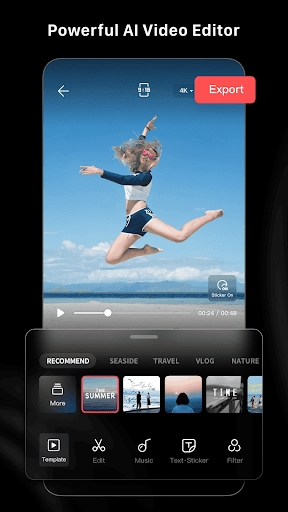
- The app features an AI-powered auto video editing system that simplifies content creation by automatically selecting the best scenes and transitions.
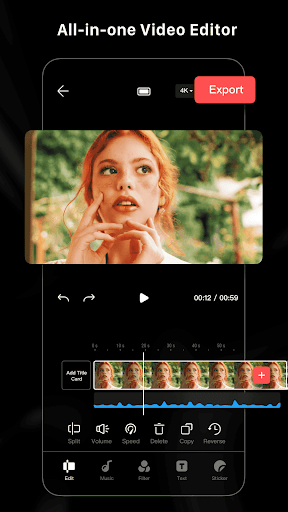
- Its real-time preview and editing capabilities enable users to see changes instantly, enhancing the overall app experience.
- With supporting offline mode, users can edit videos anytime without needing an internet connection, making it a reliable app-based solution.
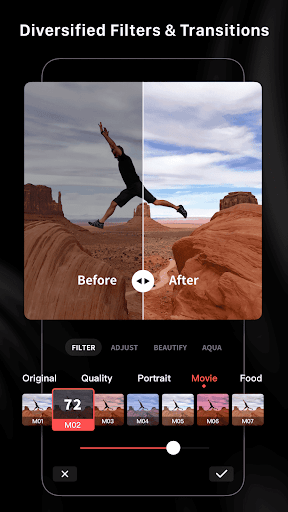
- The app offers a variety of customizable templates and filters, allowing users to craft professional-looking videos effortlessly.
- Advanced stabilization and noise reduction features ensure smooth, high-quality videos even from shaky footage.
- The intuitive user interface makes it easy for both beginners and experienced editors to navigate and utilize app features.
- The app supports multiple output formats, catering to different platforms and sharing needs, enhancing versatility.
Who This App Is For
This mobile app is ideal for amateur videographers, social media enthusiasts, and content creators seeking quick, professional edits on their Android devices. It suits users who want an easy-to-use app experience without complicated tools.
Whether you're editing clips for TikTok, YouTube, or personal projects, this app provides a convenient app-based solution to produce polished videos. It's perfect for those who need fast results with minimal fuss in a versatile, user-friendly Android app.
Why Choose This App
This Android app offers a seamless app experience with powerful app features that make video editing accessible and efficient. Its AI-driven automation saves time and effort, making it stand out from traditional editing tools.
Designed for convenience and quality, this app provides an app-based solution for creators looking to enhance their content quickly. It balances advanced features with user-friendliness, making it a top choice for anyone serious about content creation.
Features
LightCut - AI Auto Video Editor Overview
Powerful AI-driven video creation and editing tool
Simplifies video production for all users
- Automates video editing with AI technology
- Offers trendy customizable templates
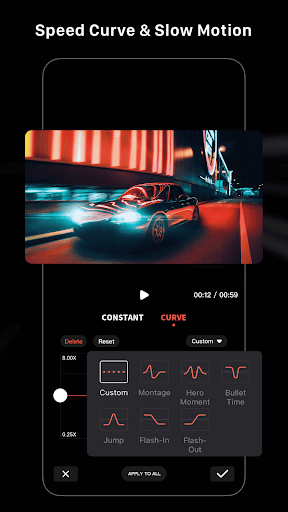
- Provides professional editing tools and effects
- Features innovative shooting modes with guides
- Supports seamless clip splitting and combining
- Includes licensed music for creative videos
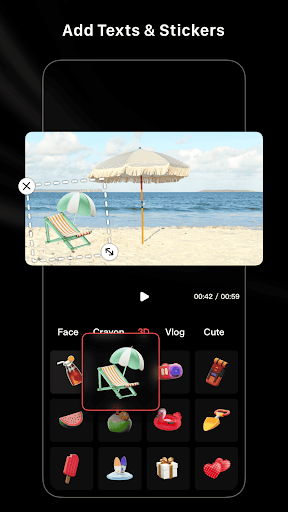
- Enables personalized stickers and fonts
- Eliminates watermarks for clean results
More Information
LightCut - AI Auto Video Editor is a versatile mobile app designed to simplify video editing for users on Android devices. With its intelligent features, this app offers a smooth and intuitive app experience, allowing users to create and enhance videos effortlessly without needing extensive editing skills. As an innovative app-based solution, it helps users bring their creative visions to life with ease.
👍 Pros
- User-friendly AI editing interfaceLightCut offers intuitive controls that simplify the editing process for beginners.
- Automated editing with high-quality resultsThe AI effectively analyzes footage to produce polished videos automatically.
- Wide variety of creative templates and effectsUsers can easily enhance videos with stylish templates, saving time and effort.
- Fast rendering speedsThe app processes edits quickly, making it suitable for quick social media posts.
- Supports various video formats and resolutionsEnsures compatibility with different devices and platforms for versatile use.
👎 Cons
- Limited customization optionsAdvanced users may find the editing options somewhat restrictive, especially for detailed edits.
- Occasional auto-edit inaccuraciesThe AI may sometimes misinterpret footage, leading to less optimal edits, which can be improved with user adjustments.
- Requires internet connection for full functionalitySome features depend on cloud processing, which might be inconvenient in offline scenarios; offline mode updates are expected.
- Limited advanced editing toolsProfessional editors might find features like keyframing or multi-layer editing lacking; future updates may add these capabilities.
- In-app watermark on free versionFree users must upgrade to remove watermarks; an optional watermark removal feature in future could be helpful.
Download LightCut -AI Auto Video Editor
You are going to be redirected to the official website to finish the download when you click these buttons above.







