
MMGuardian Parental Control
MMGuardian.com
Preview
Overview
Core Features
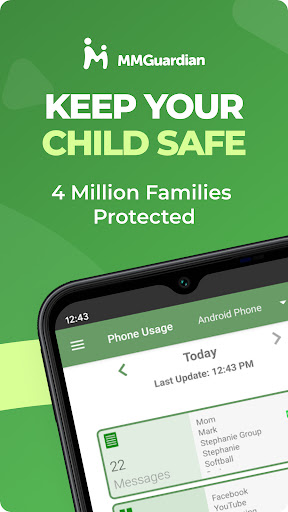
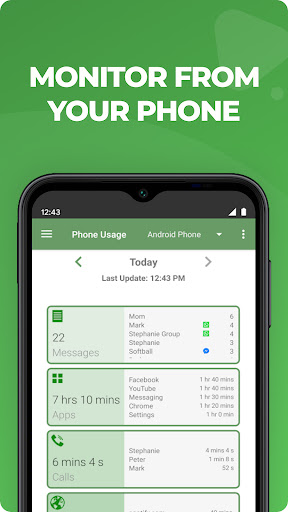
- The app features a comprehensive dashboard that allows parents to monitor device usage easily and effectively.
- Real-time sync ensures that parents receive instant updates on their child's activity for better oversight.
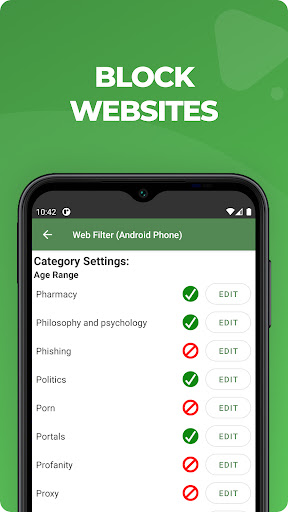
- App blocking capabilities enable parents to restrict access to inappropriate websites and content effortlessly.
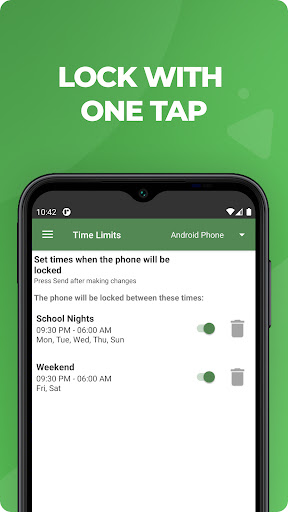
- The app includes a scheduling feature that allows setting specific times for device use, promoting healthier habits.
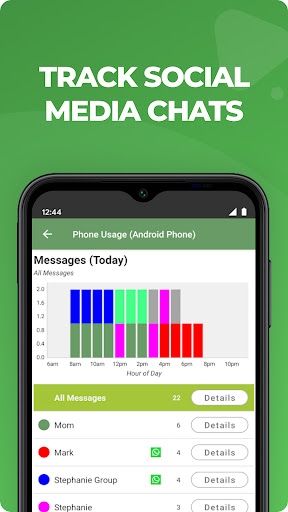
- Child activity reports provide detailed insights into app usage and screen time patterns.
- The parental controls extend to managing app permissions and controlling access to built-in launcher apps.
- This Android app offers a user-friendly interface that makes managing multiple devices straightforward for parents.
Who This App Is For
This mobile app is ideal for parents of children aged 6 to 16 who want to ensure safe device use and digital boundaries. It is suitable for families looking for a reliable app-based solution for child monitoring.
Whether you are concerned about screen time, content safety, or device management, this app provides practical tools for everyday scenarios. It helps parents maintain control while fostering responsible technology use for kids.
Why Choose This App
This Android app stands out with its intuitive app features and seamless app experience, making parental control easier than ever. Its all-in-one app-based solution addresses common concerns efficiently and reliably.
Designed by experienced developers, it offers trustworthy and comprehensive features that effectively support safe device use, setting it apart from other solutions. This app provides peace of mind for busy parents seeking responsible digital habits for their children.
Features
Real-time Child Activity Monitoring System
Comprehensive Safety and Privacy Guarantee
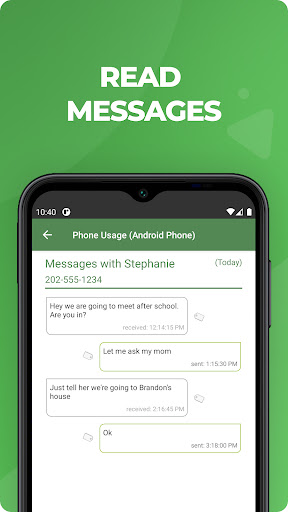
Messaging and Call Review for Transparency
Application Restrictions and Usage Limits
Location Tracking and Device Control
Screen Time Management and Content Filtering
Emergency Device Lock and Unlock Functions
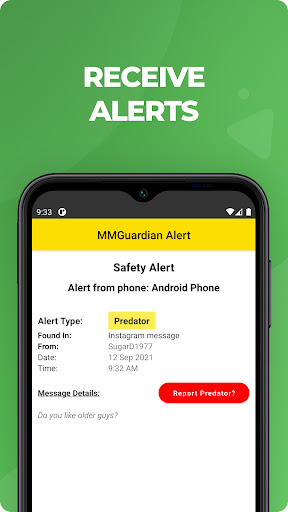
Parental Alerts for Risky Online Content
More Information
MMGuardian Parental Control is a trusted mobile app designed to help parents monitor and manage their children's digital usage. Available as an Android app, it offers a range of app features that provide a safe and secure online experience for young users. This app-based solution enables parents to set boundaries, track activity, and ensure their child's device usage stays on safe and appropriate terms.
👍 Pros
- Comprehensive content filteringEffectively blocks inappropriate websites and apps to protect children from harmful content.
- Real-time activity monitoringEnables parents to view their child's device usage history instantly, fostering better oversight.
- Customizable time limitsAllows flexible scheduling to control screen time, encouraging healthier device habits.
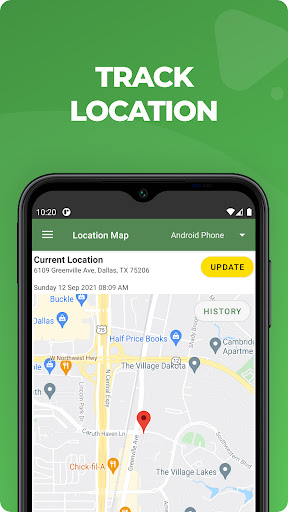
- Location tracking featureProvides real-time location updates to ensure child's safety during outings.
- User-friendly interfaceEasy for parents to set up and navigate without technical expertise.
👎 Cons
- Limited app control scopeSome newly installed or hidden apps may not be immediately controllable, temporarily reducing enforcement effectiveness.
- Occasional syncing delaysDevice data syncs can sometimes be delayed, which may impact real-time monitoring accuracy.
- Restricted customization for certain settingsAdvanced users might find the app less flexible in tailoring specific rules, but official updates are expected to improve this.
- Potential over-restriction for younger childrenSome settings may be too strict for younger users, requiring manual adjustment for balance.
- Battery consumption overheadBackground activity might increase battery drain slightly, but this generally doesn't affect device performance significantly.
Download MMGuardian Parental Control
You are going to be redirected to the official website to finish the download when you click these buttons above.







