My Library
Julien Keith
Preview
Overview
Core Features
- Track every book, audiobook, and magazine in one tidy digital catalog.
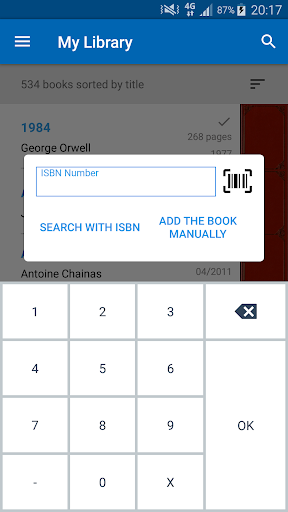
- Scan ISBN barcodes with your camera to add titles instantly without typing.
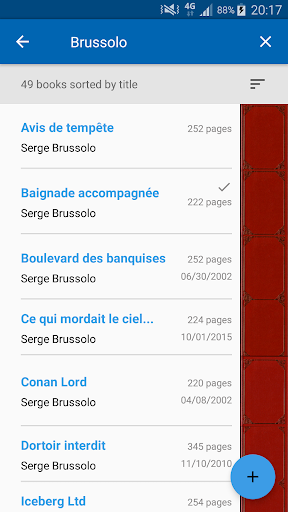
- Sort your collection by author, genre, or reading status with custom tags.
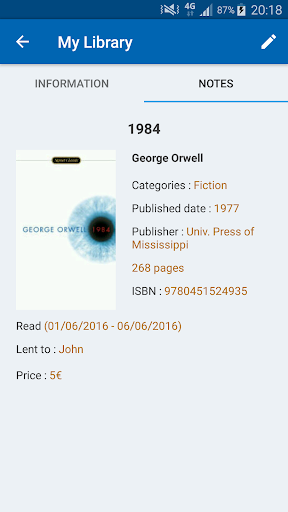
- Keep a personal reading log with start dates, finish dates, and ratings.
- Borrow and lend records help you remember who has your favorite novels.
- Offline mode lets you browse your library even without an internet signal.
- Export your full list to CSV or PDF for backup or sharing with friends.
- The mobile app features a clean, ad-free layout that loads fast on any Android device.
Who This App Is For
This app is built for book lovers of all ages - from teens tracking school reading lists to retirees managing decades of collected paperbacks. Library volunteers and small bookstore owners also find it handy for quick inventory checks.
Use it when packing for a trip to avoid buying duplicate titles, or during a home move to insure your collection. It is also a practical app based solution for book clubs that rotate members' shelves.
Why Choose This App
Unlike bloated catalog tools, this Android app keeps things simple with a focus on speed and reliability. You get powerful app features - barcode scanning, tagging, and offline access - without any learning curve or hidden costs.
Most similar apps force you into cloud accounts or push ads after every action. Here, your data stays local on your device, giving you full privacy and instant response times. For anyone who values a straightforward, no-nonsense library manager, this is the clear winner.
Features
Effortless book cataloging via barcode scanning
Instant ISBN lookup for accurate details
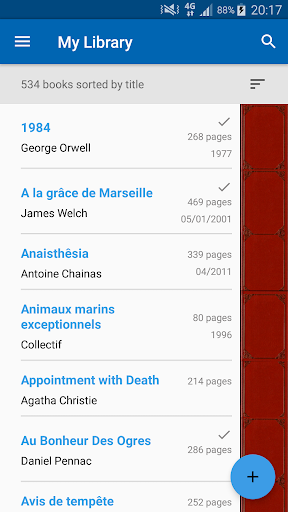
Smart sorting by title, author, or category
Lightning-fast search across your whole library
Visual stats for your reading habits
One-tap export to Excel for backup
Seamless import to restore your collection
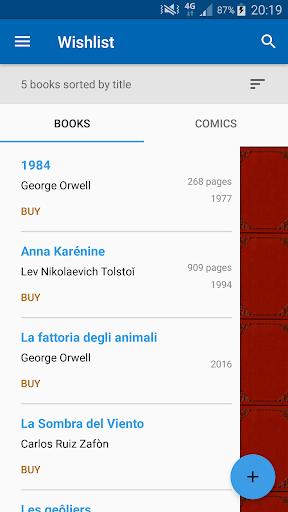
Wishlist saving for future book purchases
More Information
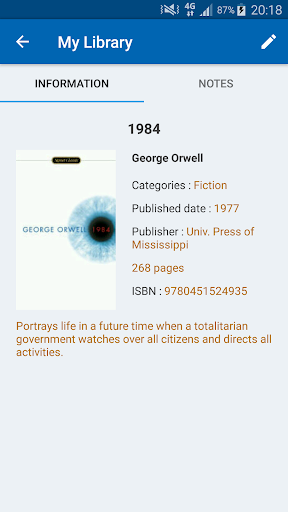
My Library is a mobile app that turns your phone into a personal book catalog, letting you log titles, track reading progress, and organize your collection with ease. This Android app delivers a clean, clutter-free app experience, making it simple to manage books on the go without complex setup.
👍 Pros
- Effortless catalogingScanning barcodes instantly pulls book details from online databases, saving minutes per entry.
- Smart sorting and filtersOrganize by author, genre, or custom tags, and use advanced filters to find titles like 'unread sci-fi' in two taps.
- Offline-ready accessYour library is fully usable without internet, perfect for basement archives or travel.
- Loan and wishlist trackingLog borrowed books with due dates, and maintain a wishlist that syncs with your main collection.
- Clean, ad-free interfaceThe minimalist design focuses on your books, with no distracting banners or upsells.
👎 Cons
- Limited cover image resolutionSome older or indie titles show blurry covers, reducing the visual appeal of your shelves.
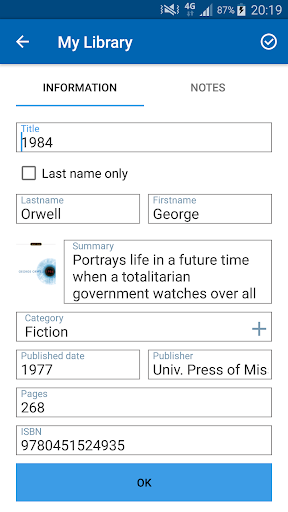
- Manual entry for obscure titlesIf a book isn't in the global database, you must type all metadata by hand—a tedious process for rare finds.
- No cloud backup on free tierWithout a subscription, your data stays local, risking loss if you switch devices or uninstall the app.
- Barcode scanner glitches on blurry labelsIn low-light or with worn book covers, the scan often fails, requiring manual retries.
- Missing social sharing featuresYou can't easily share your reading list or stats with friends, limiting community interaction—currently no official timeline for adding this.
Download My Library
You are going to be redirected to the official website to finish the download when you click these buttons above.