
SMS Backup & Restore
SyncTech Pty Ltd
Preview
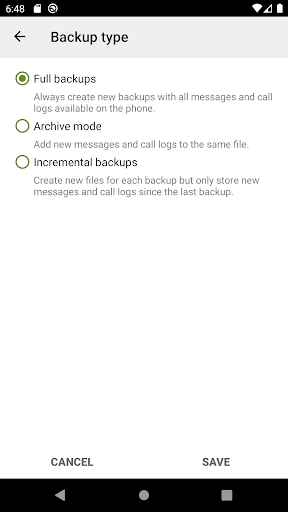
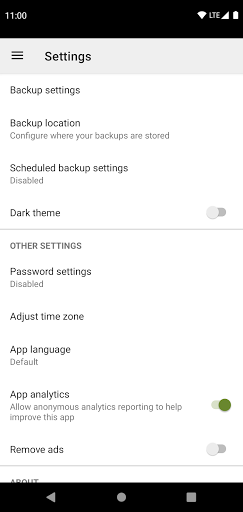
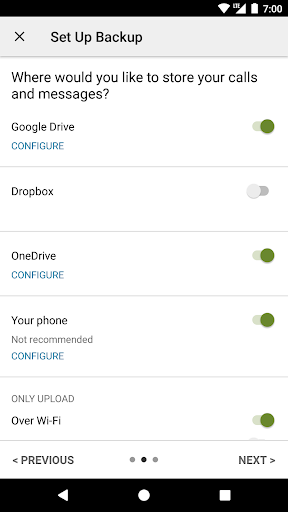
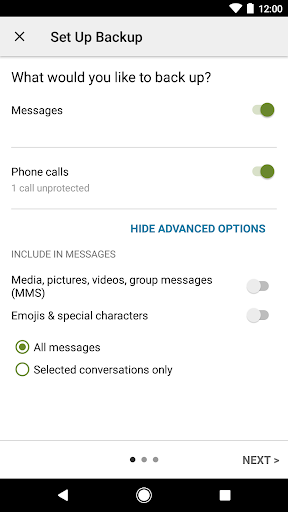
Overview
Core Features
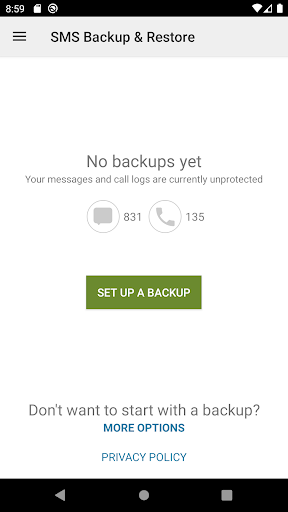
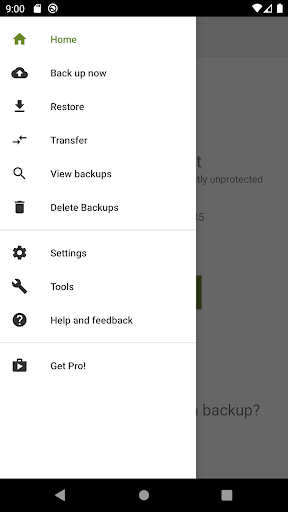
- The app features an intuitive interface that makes backing up and restoring SMS and call logs straightforward.
- Real-time sync ensures your messages are always up-to-date across your devices, enhancing app experience.
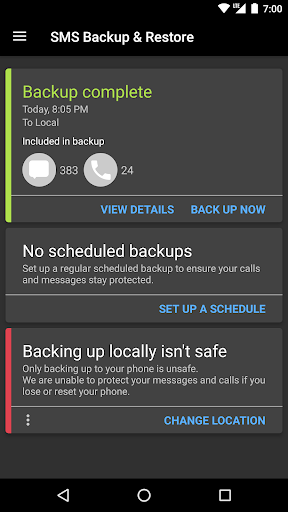
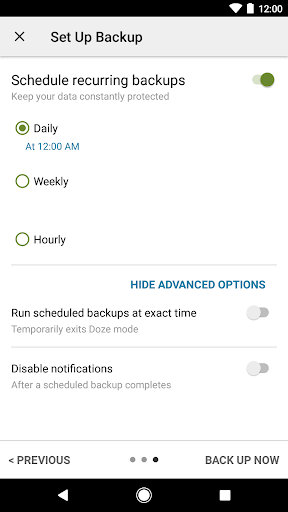
- Schedule backups automatically to save time and reduce manual effort, ideal for busy users.
- The app provides multiple storage options, including local and cloud, for flexible app-based solutions.
- Support for various Android versions ensures broad compatibility and reliable app features.
- Includes options to restore messages selectively, giving users better control over their data.
- Backup encryption guarantees your data's security, building trust with users concerned about privacy.
- The app seamlessly integrates with launcher apps on Android devices for quick access and use.
Who This App Is For
This mobile app is perfect for individuals who need a simple, reliable way to manage their SMS backups, especially on Android devices. Ideal for tech-savvy users and those less familiar with complicated procedures, it offers an easy app experience tailored for everyday use.
Whether you're switching phones, ensuring your messages are safe, or looking for an app-based solution to keep data organized, this app suits a wide range of users. It's designed for anyone wanting a straightforward and trustworthy way to handle message backups without fuss.
Why Choose This App
This Android app stands out by offering strong app features that prioritize privacy, ease of use, and compatibility. Its reliable app experience helps users safeguard their messages effortlessly and securely.
Choosing this app means opting for a proven app-based solution that simplifies backup processes, enhances data security, and works seamlessly across devices. It provides peace of mind that your important messages are always protected and easy to restore when needed.
Features
Level 1: Simple backup tool for messages and logs
Level 2: Secure and easy data management across devices
Level 3:
- Create automatic backups to safeguard messages
- Upload backups seamlessly to cloud services
- Selectively backup or restore specific conversations
- Transfer backups quickly over WiFi network
Level 4:
- Clean up storage by deleting unwanted messages
- View backup contents on computer for verification
More Information
SMS Backup & Restore is a reliable mobile app designed for Android devices that allows users to effortlessly back up and restore their text messages and call logs. This app provides a straightforward solution for managing important data and ensuring it is safe from loss, offering a seamless app experience tailored to both casual and advanced users seeking an effective app-based solution for data management.
👍 Pros
- User-friendly interfaceIntuitive design makes it easy for users to navigate and configure backups quickly.
- Reliable backup and restore processEnsures data integrity with successful backups across various Android devices.
- Supports scheduled backupsAllows automatic backups at user-defined intervals, reducing manual effort.
- Flexible file management optionsProvides options to exclude specific data types for smaller backup sizes.
- Supports multiple backup locationsEnables backing up to local storage, cloud services, or email for versatility.
👎 Cons
- Limited free featuresSome advanced options require purchasing the premium version, which may be a barrier for casual users.
- Occasional backup failures on certain devicesSome users report failures due to device-specific compatibility issues, which may require reinstallation or updating the app.
- Complex restore process for certain data typesRestoring specific data like app data may require additional steps or manual intervention.
- Limited support for non-Android platformsThe app primarily supports Android devices; transferring backups to other platforms can be cumbersome.
- Interface may be confusing for new usersSome menus and options may require guidance for optimal use, though comprehensive help is available online.
Download SMS Backup & Restore
You are going to be redirected to the official website to finish the download when you click these buttons above.







